All your work
with AI, in
one app
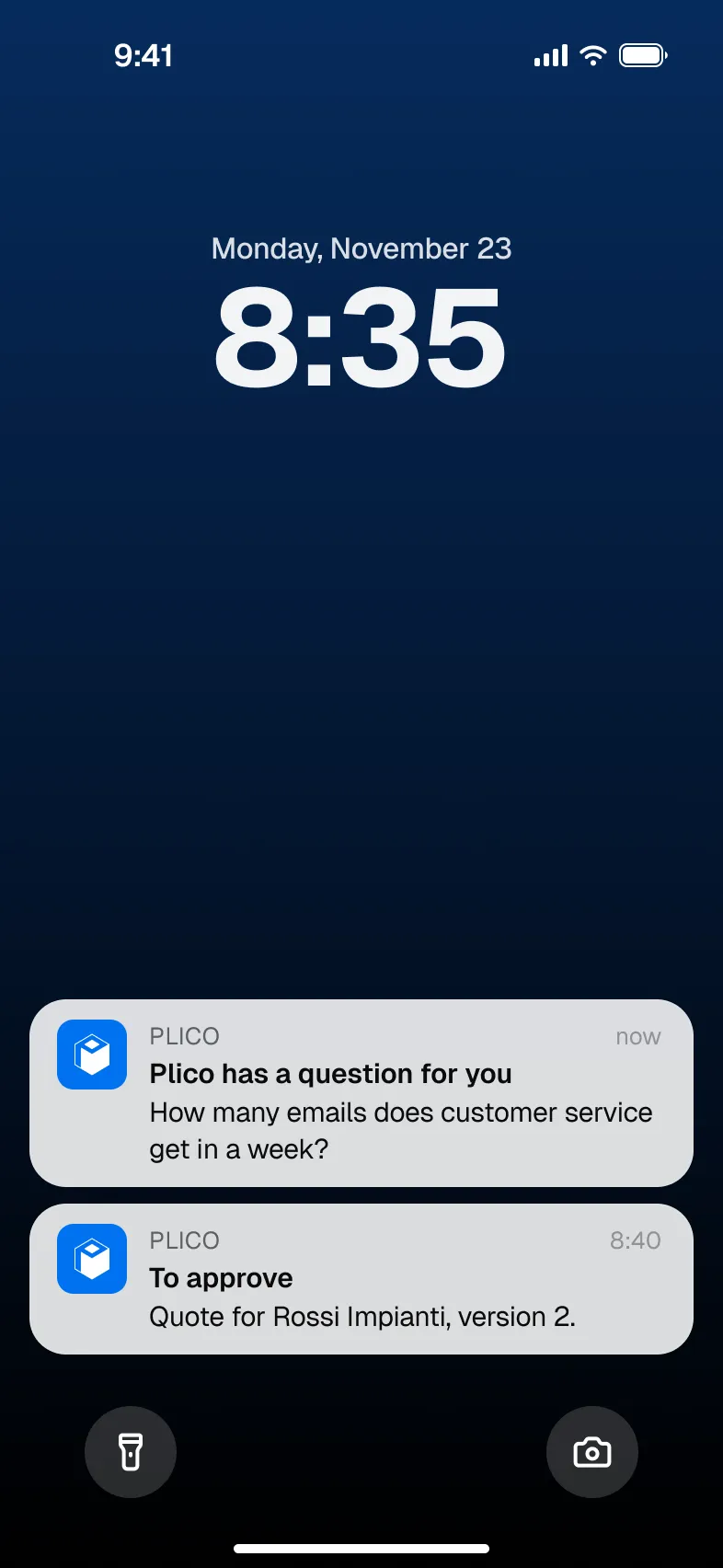
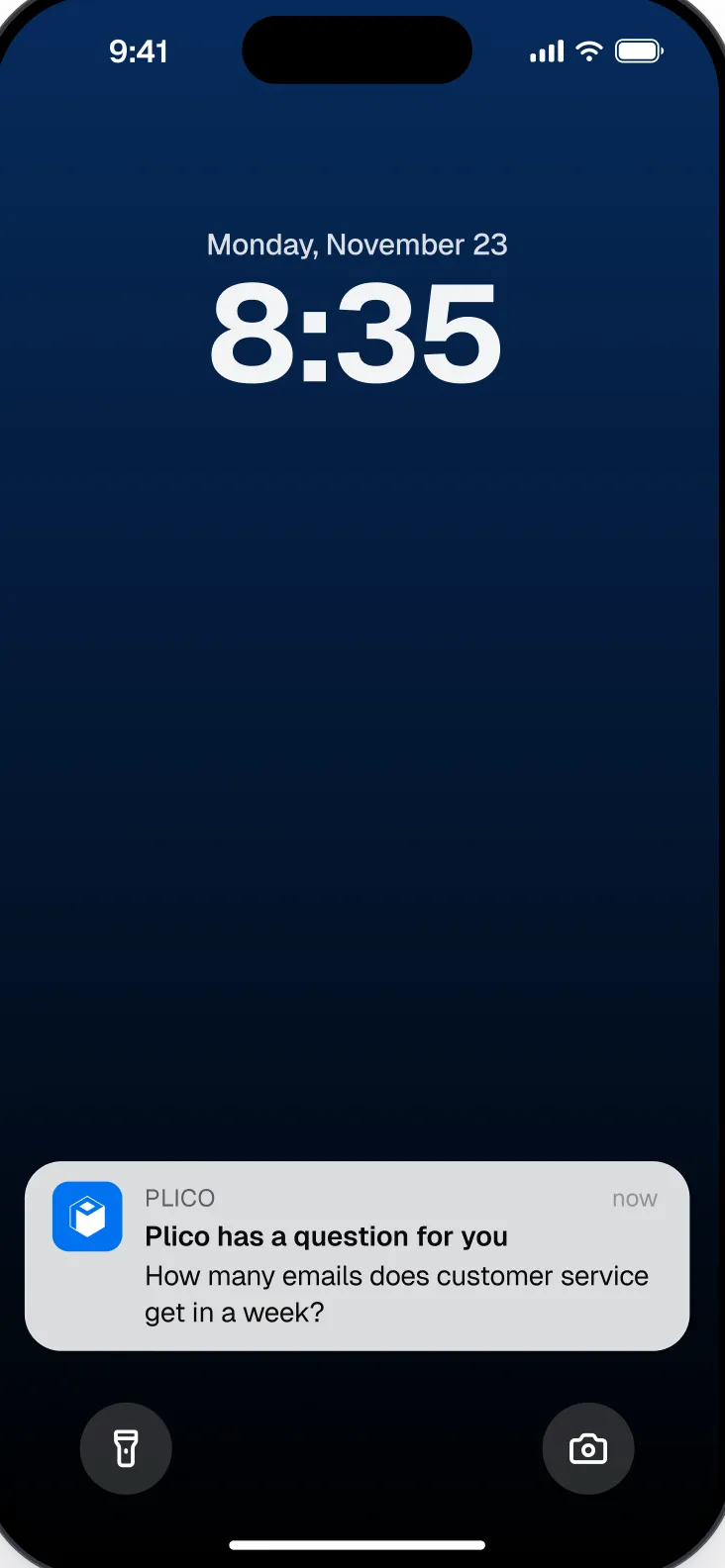
With Plico you follow, on your computer and your phone, the work we do for your company: the projects, the active automations and the questions waiting for your reply. When a decision is needed, a notification takes you straight to the item to review.

Pliconow
Reply to your request
The updated price list is already on the website and in the management system.
Plico12m ago
Content to approve
December post: holiday menu
Plicoyesterday
November report
The summary of the work carried out is in the app
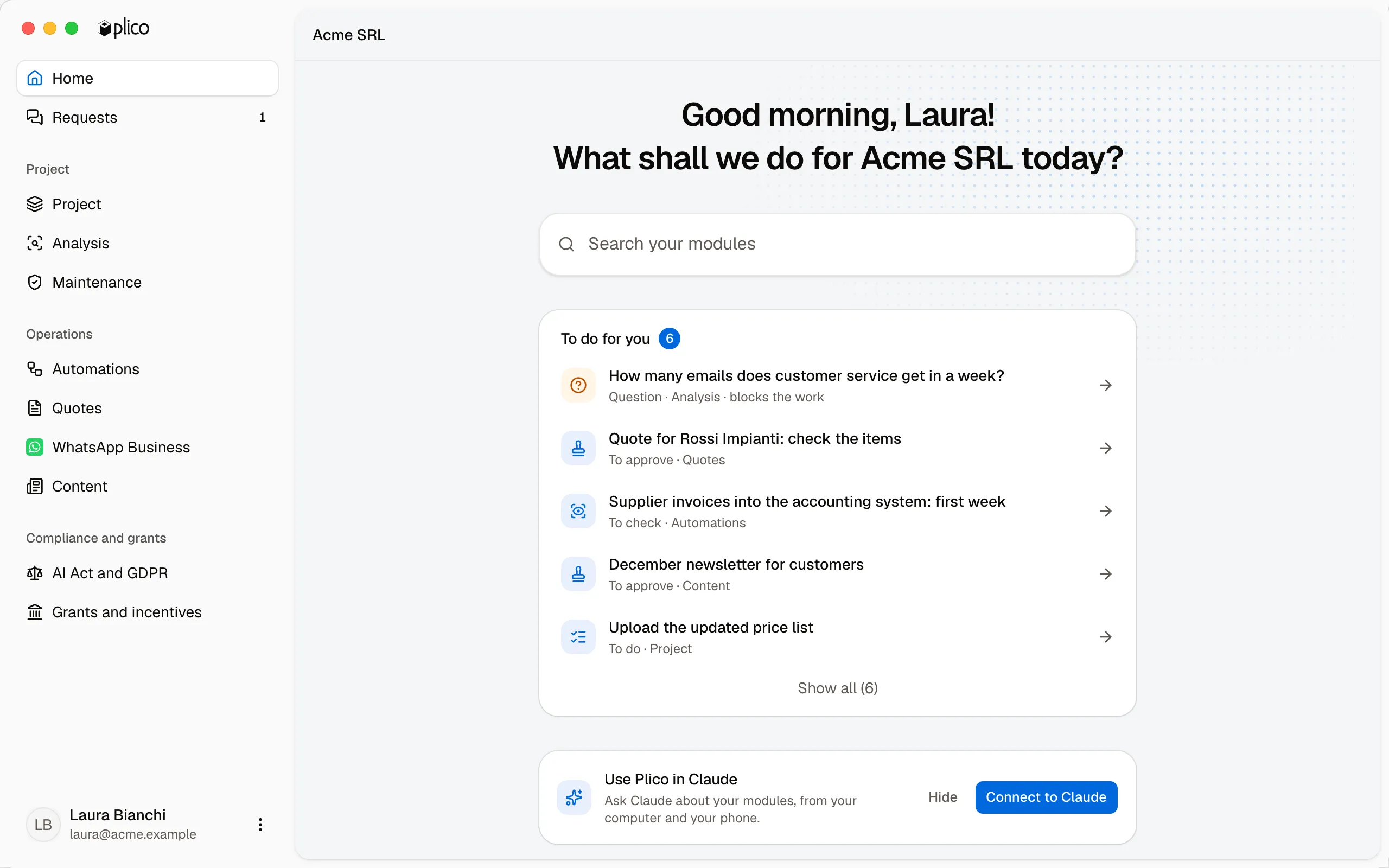
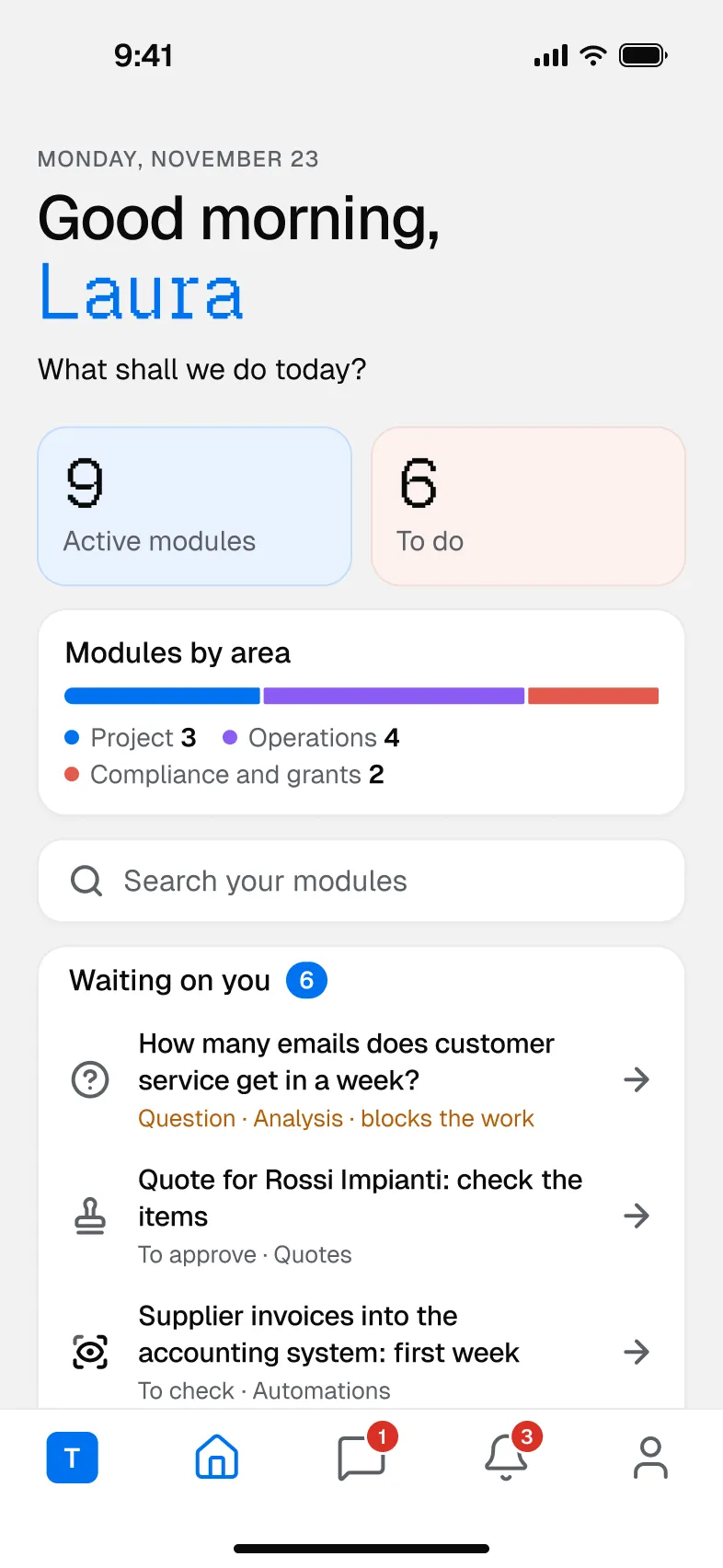
Modules
A module for each area of the work
The app is organized into modules, each devoted to one part of the work we do for your company. Your app shows only the modules enabled for your project.
Project
The questions to answer, the shared files and links and the status of the work, in one place.
Analysis
The processes we have mapped, the opportunities identified for AI and the questions to answer.
Automations
The automations running for your company, their status and the hours they save every month.
Quotes
The quotes Claude prepares from your price lists, ready to review and send, with the outcome of each.
WhatsApp
The conversations Claude handles on your business number, the handoffs to your team and the costs day by day.
Content
The drafts of posts, newsletters and articles to approve, with the publishing calendar.
Maintenance
The monthly report of our work on your sites and systems, including the security updates.
AI Act and GDPR
The obligations that apply to your company, where each stands, the deadlines and the documents in force.
Grants
The grants and incentives assessed for your company, where each application stands and the deadlines.
Inside a module
One structure shared by every module
The example shows the Project module. The other modules, from Automations to Quotes, follow the same structure.
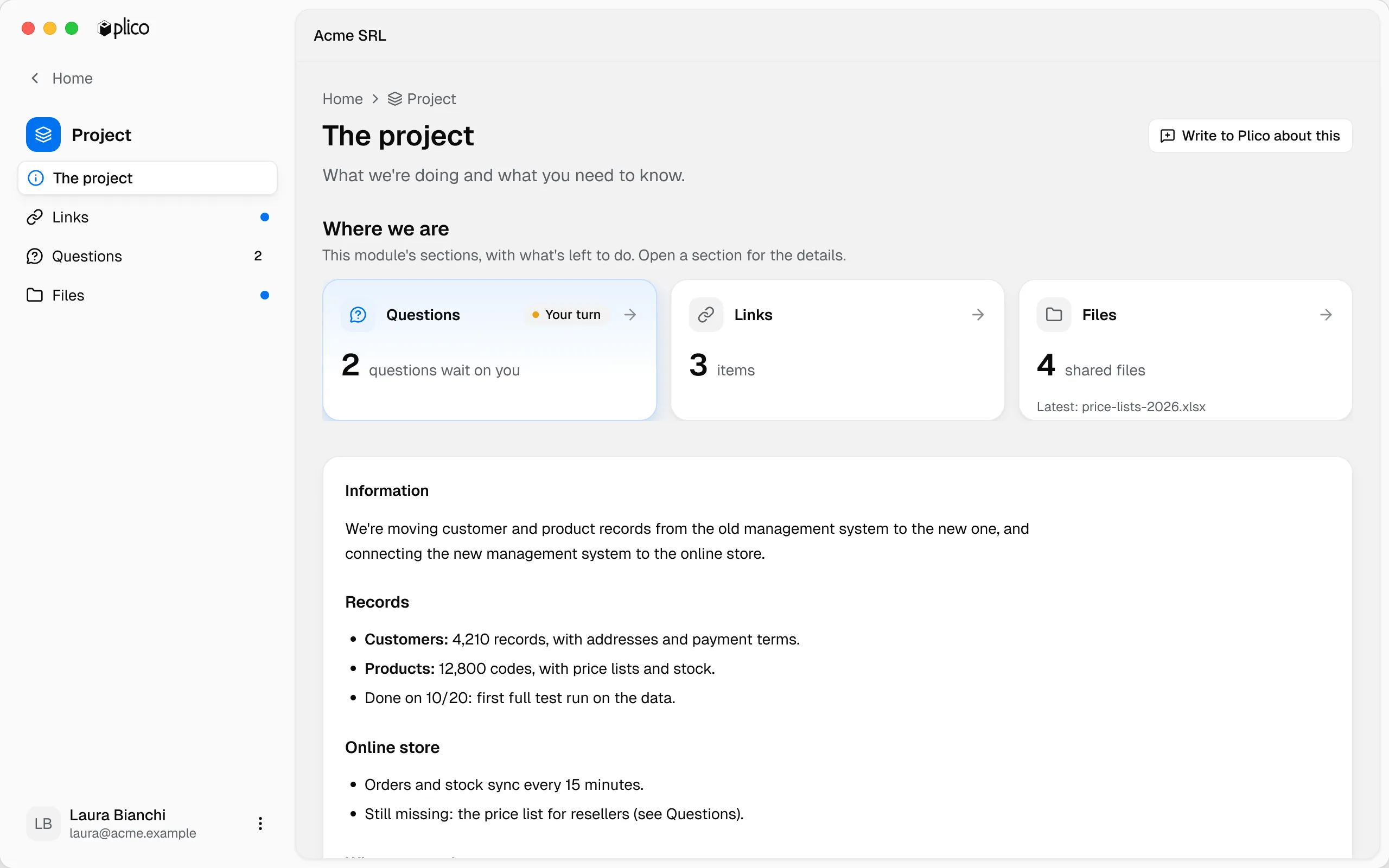
- 01Your companyYour company’s name.
- 02ModulesThe module and its sections.
- 03Write to PlicoA message to our team.
- 04Questions for youThe answers we need.
- 05Where we areThe status of the work.
- 06Your profileName and sign-in email.
- Your companyYour company’s name.
- ModulesThe module and its sections.
- Questions for youThe answers we need.
- Your profileName and sign-in email.
- Write to PlicoA message to our team.
- Where we areThe status of the work.
Customization
Your logo and brand colors
The app takes on your company’s brand. The Plico name appears in a smaller form beneath your company’s name.
Acme SRL, Officina Rossi and Studio Verdi are sample companies.
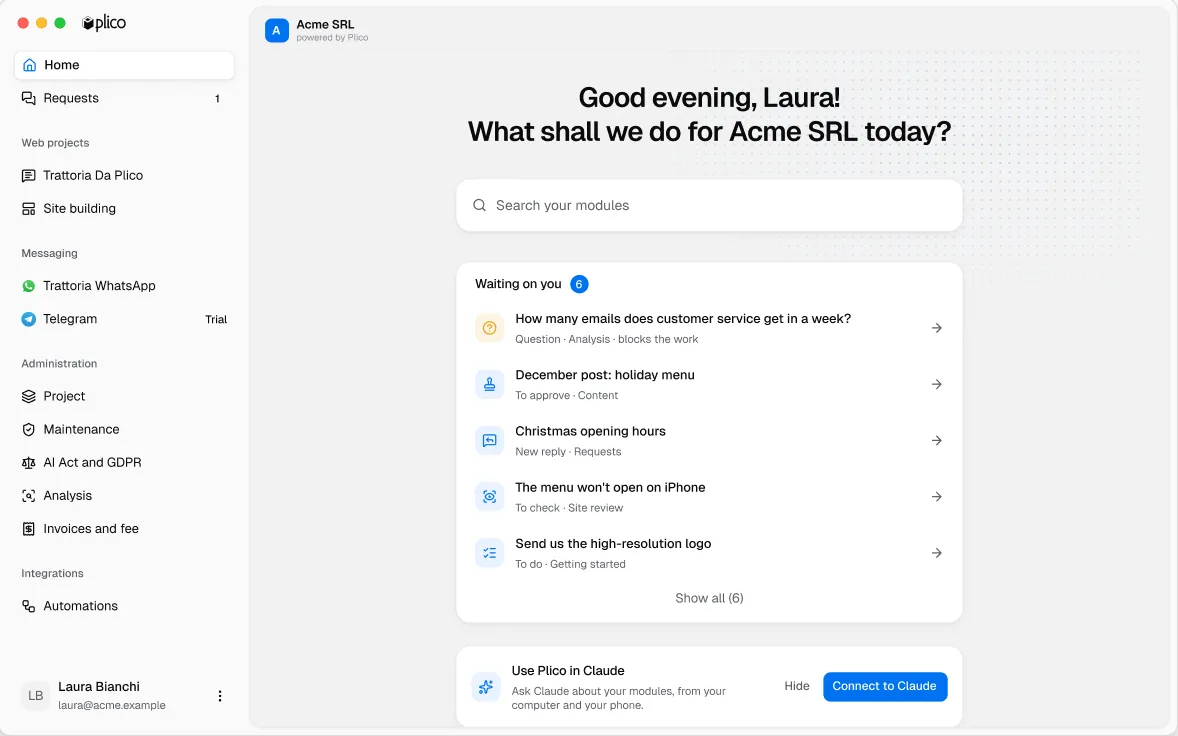
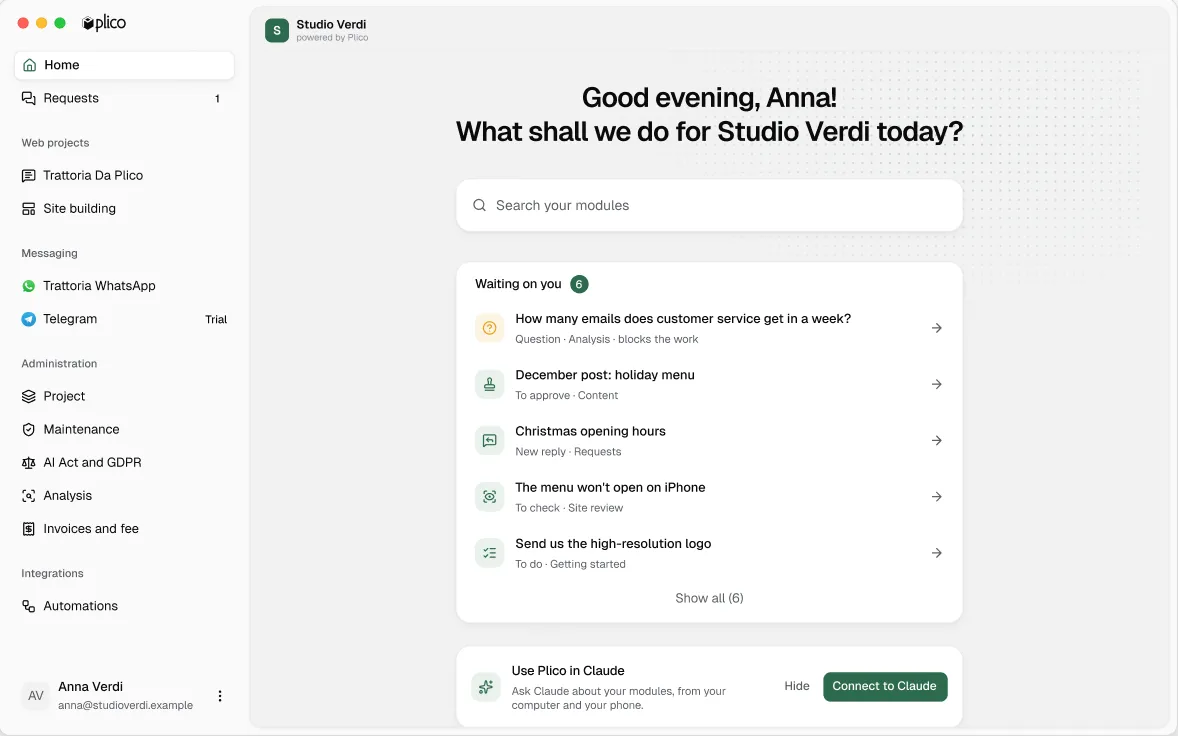
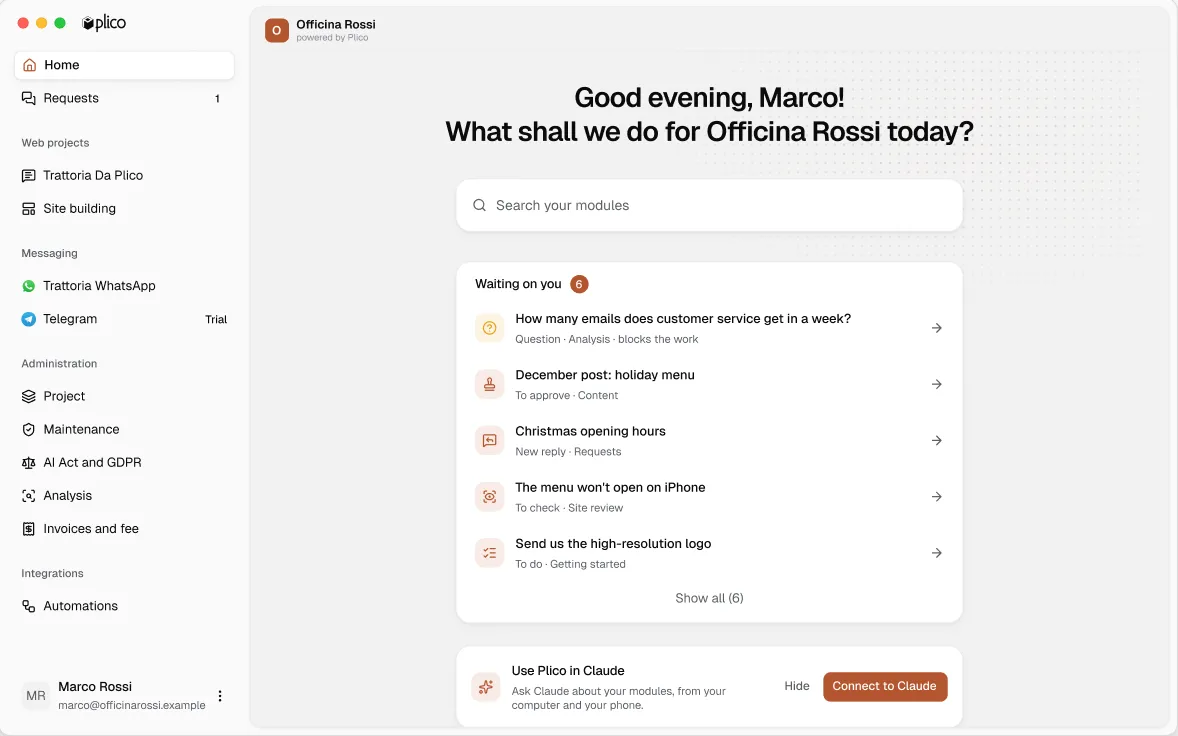
Acme SRL, Officina Rossi and Studio Verdi are sample companies.
Maintenance
We keep
the system
running
After launch we keep looking after the whole system: we update the integrations when your software changes and restore the automations that stop working. Every month the Maintenance module shows the report of the work done, alongside the status of each automation.
Your automations · example
29 hours saved in a month by Acme SRL, the sample company. Each row is an automation, with its status.
| No. | Automation | Status | Runs, 30 days | Hours a month |
|---|---|---|---|---|
| 01 | Web orders to management system | Active | · 486 runs | 12 |
| 02 | Payment reminders | Active | · 74 runs | 6 |
| 03 | Incoming invoices to accounting | Active · 7 errors fixed | · 188 runs | 9 |
| 04 | Weekly sales summary | Paused | · 3 runs | 2 |
| Total, last 30 daysTotal, last 30 days | 751 runs | 29 |
The monthly report
A monthly report on the work done
Every month we publish the report in the app. It sums up the work carried out, how the automations performed and what is planned for the following month, in plain language without technical jargon.
When an automation stops
You report interruptions from the app
An automation can stop when a program is updated or a file arrives in an unexpected format. The app shows its status right away and lets you contact our team directly from the affected automation.
Sample times
- Thu Nov 12
The error is flagged
In the app, the automation’s status changes to “With errors”, with the number of failed runs.
Incoming invoices to accountingWith errors188 runs7 errors9 h/month - Thu Nov 12
Request for a fix
The “Write to Plico about this” command opens a message already linked to the automation, which the team receives with its context.
Write to Plico about thisYesterday’s invoices don’t show up in accounting. Can you check?
- Thu Nov 12
Restored
Once the fix is done, the automation is active again and the fix is noted in the end-of-month report.
Incoming invoices to accountingActive188 runs9 h/month
Download Plico
Plico works with the account we give you when your project starts, and it is available for macOS, Windows, iOS and Android. Not a client yet? Book a call.