How it works
How we connect Claude to your company.
We analyze your company’s processes and connect Claude to your management systems, email, websites and online stores. In every phase the Plico app shows you where the work stands and asks you for what we need to move forward.
Analysis
The project starts with a picture of the company: how the work gets done, with which software, and where the repetitive tasks pile up.
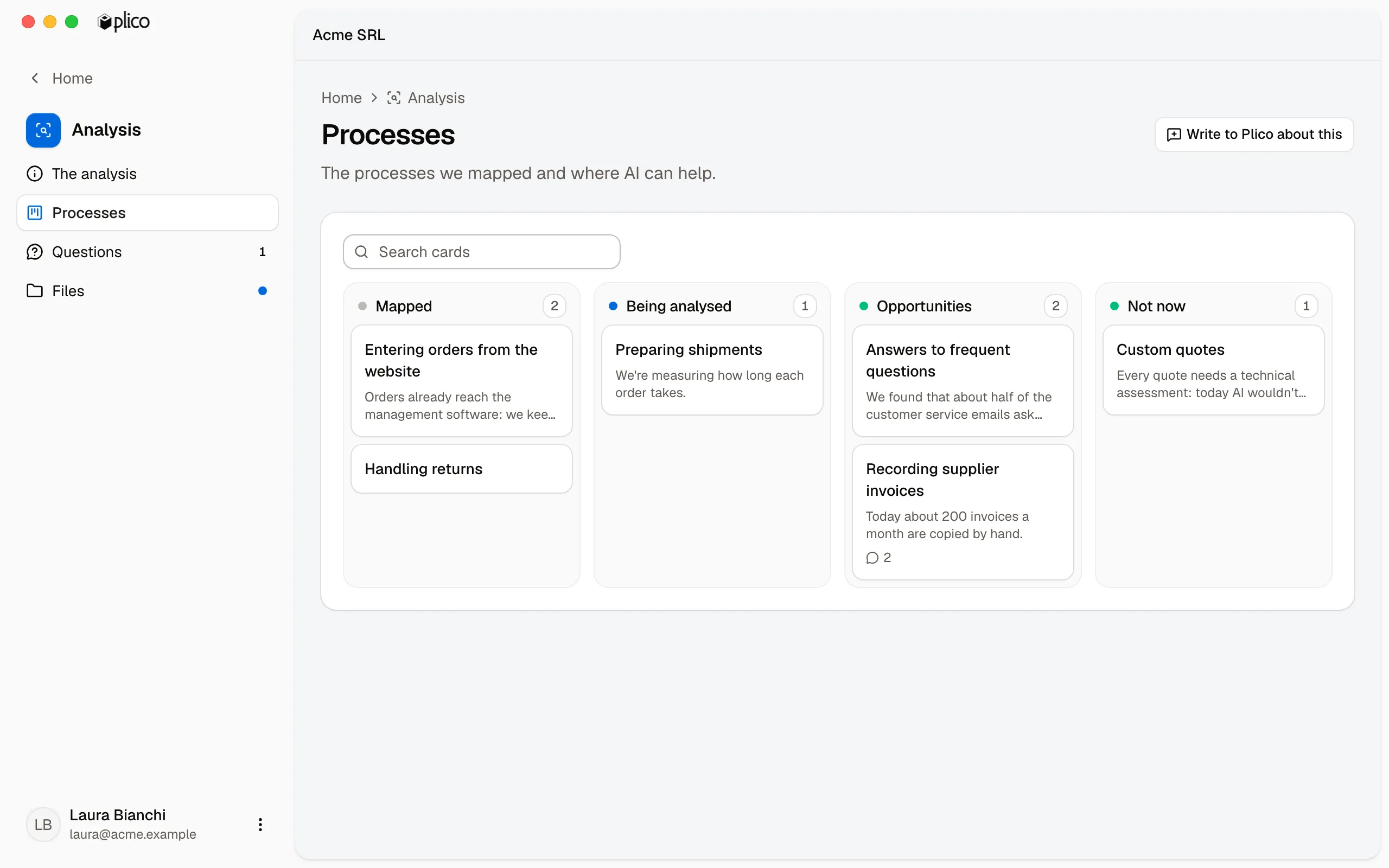
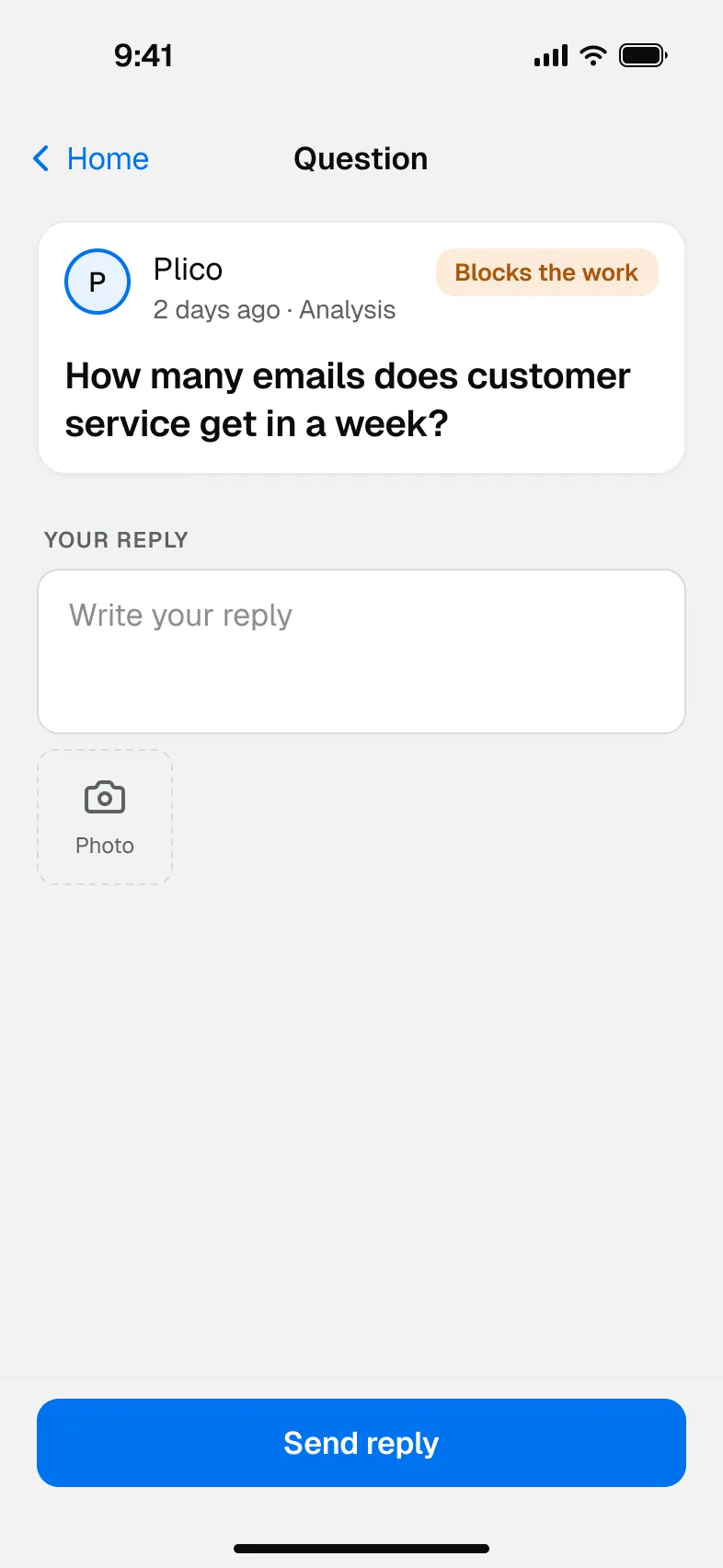
- What we ask you
- An initial conversation with you and with the people who run the main processes. In the app you then receive specific questions about volumes, times and steps, which you answer on your own schedule, from your phone too, and you upload the files the company works with every day, such as price lists, spreadsheets and document templates.
- What we analyze
- For each process we reconstruct the steps, who carries them out, how long they take and how often. We check which software holds the data, which of it can be connected, and where information is scattered across unconnected spreadsheets and documents.
- What comes out of it
- The process map, in the app’s Analysis module.
- The opportunities, each with an estimate of the time it can save and the software to connect.
- The basis for the plan: the work to start with and the work to postpone.
Design
From the opportunities found in the analysis we choose the work to do, in what order and with which permissions for Claude.
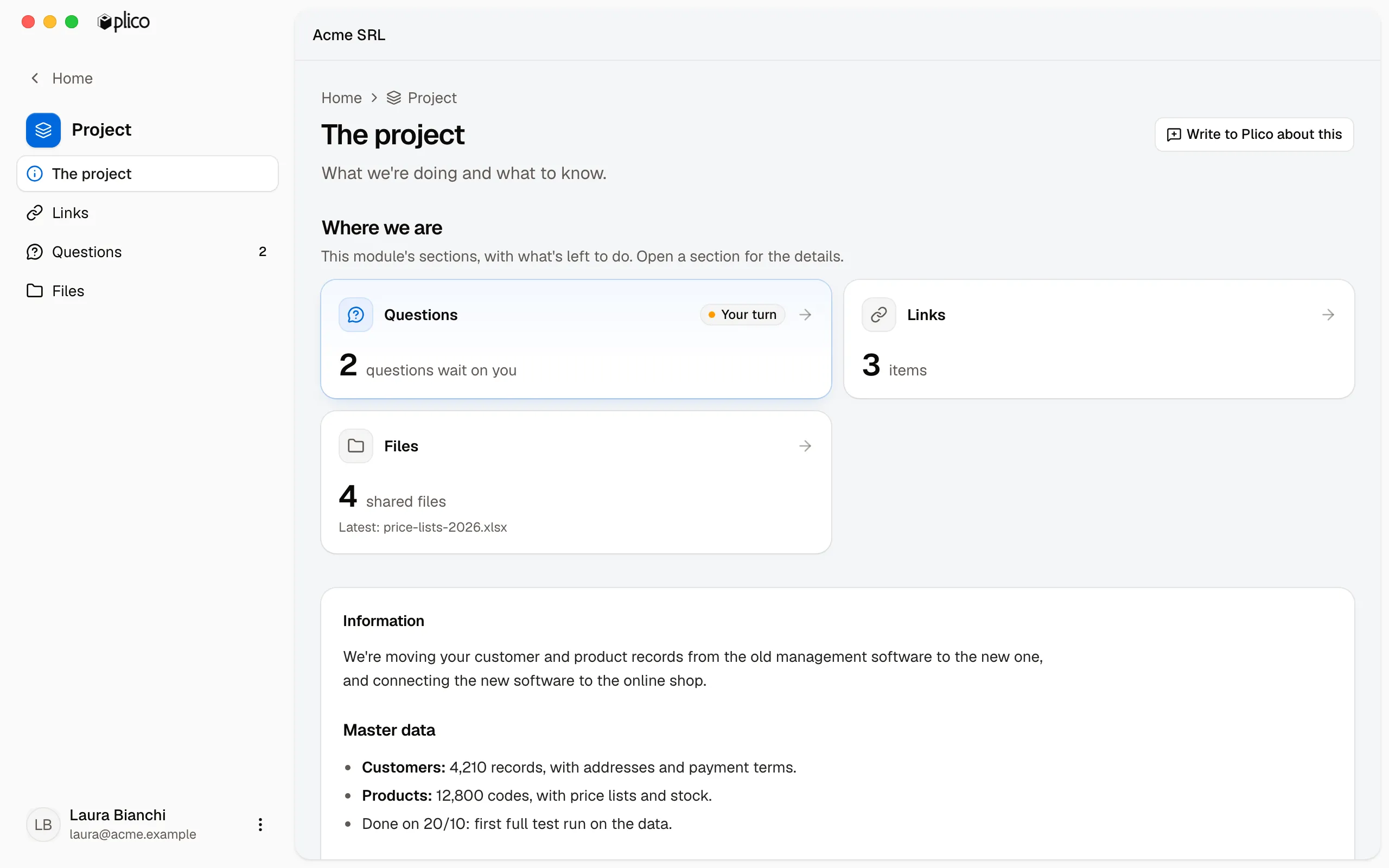
- What we do
- We turn the opportunities into a plan. For each piece of work we define the software to connect, Claude’s permissions in each, and the order of delivery, with an estimate of the return. If a piece of work brings no measurable benefit, we tell you before we start.
- What you do in the app
- You find the plan in the Project module, together with the files and links shared during the work.
- Open questions stay in view, with a count of those waiting on your answer.
Development
We build the work in the plan and connect it to the software your company uses every day.
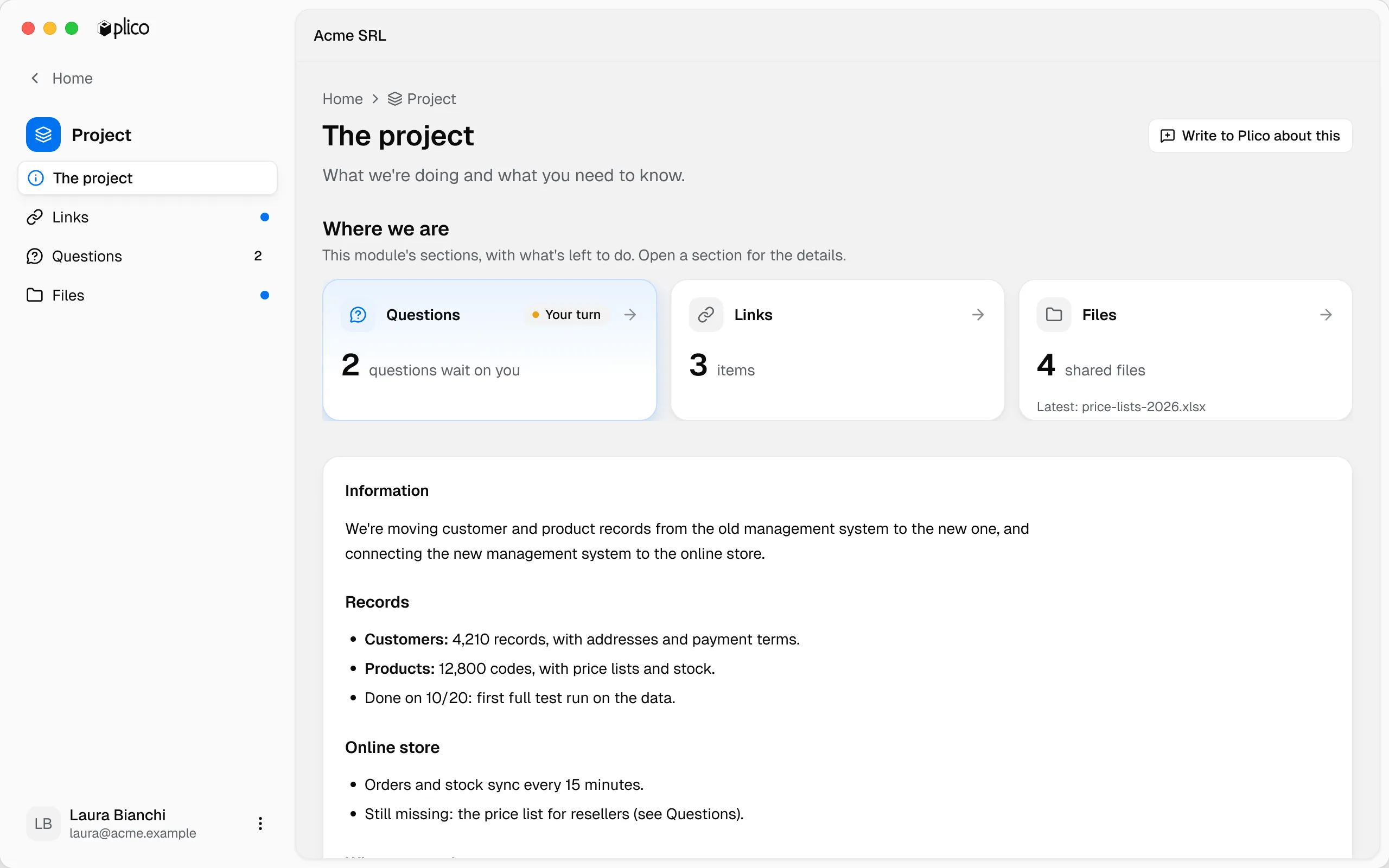
- What we do
- We build the AI agents and automations set out in the plan and connect them to the company’s software; where the data is scattered, we develop a custom management system. The people who will use the system receive the training they need.
- What you do in the app
- You follow progress in the Project module, with notes on what has been completed.
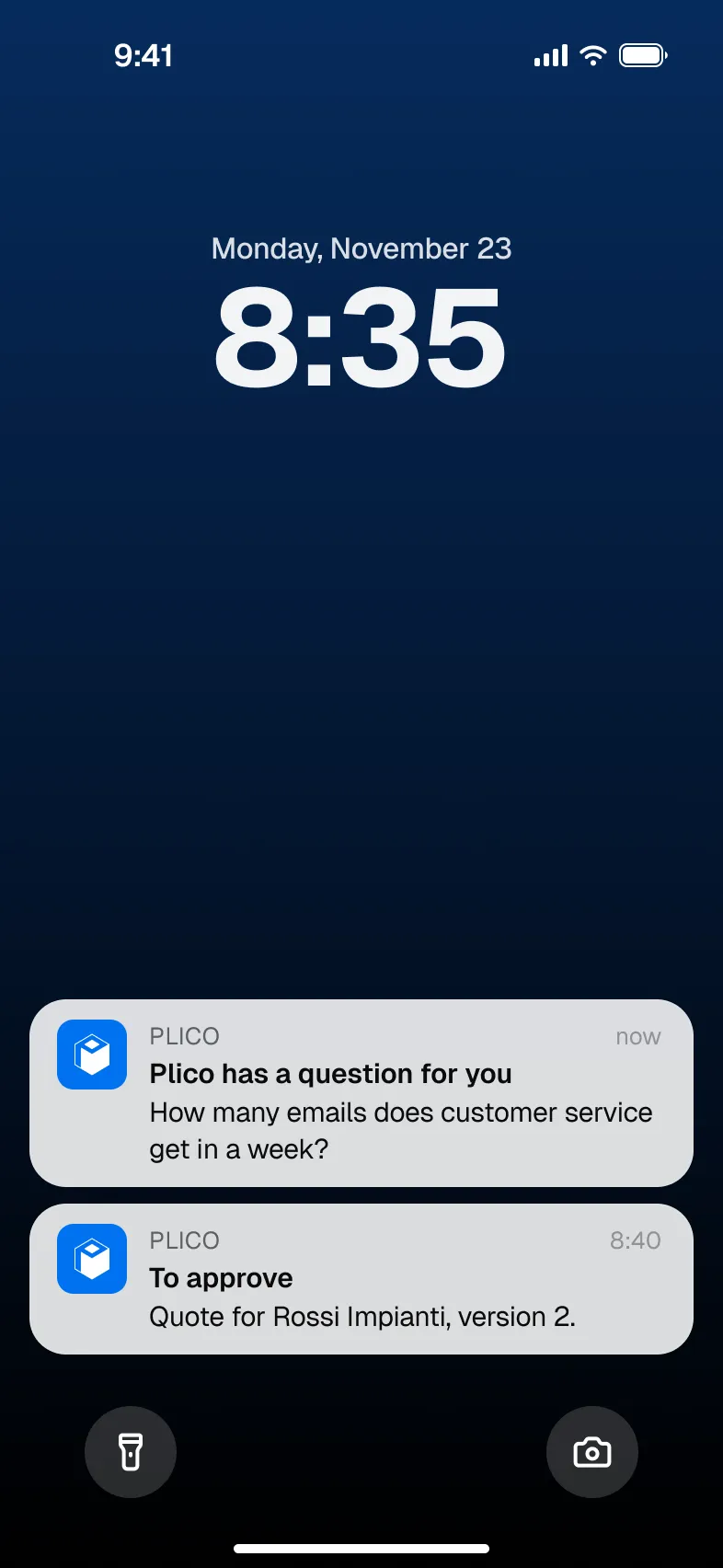
- You get a notification on your phone for every decision that is yours to make, and you approve it right in the app.
Maintenance
After launch we keep looking after the system, because software changes and automations have to stay reliable.
- What we do
- After launch we update the connections when the connected software changes, restore any automation that stops, and check every month that the system works as intended.
- What you do in the app
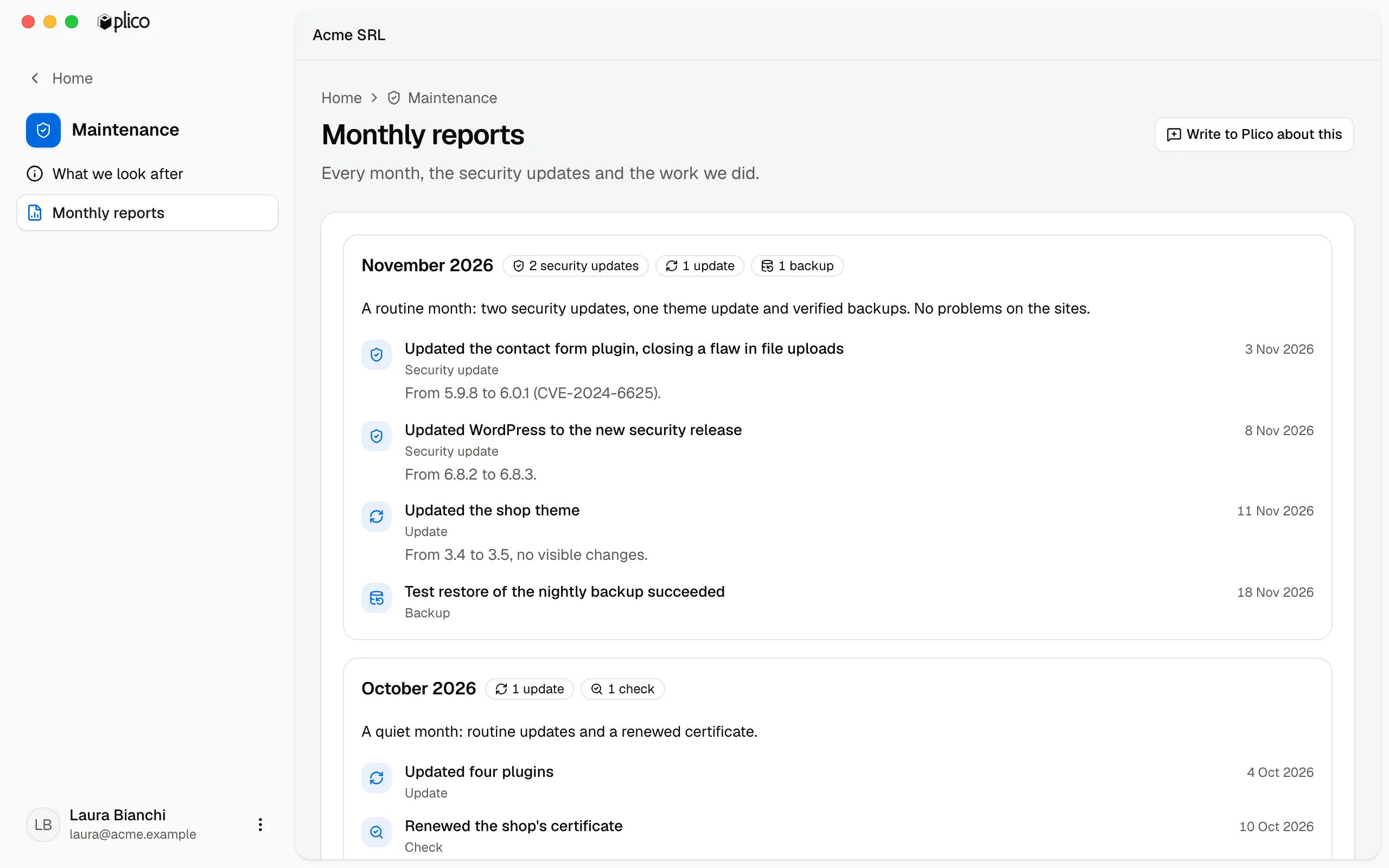
- You read the monthly report with the work carried out and the security updates.
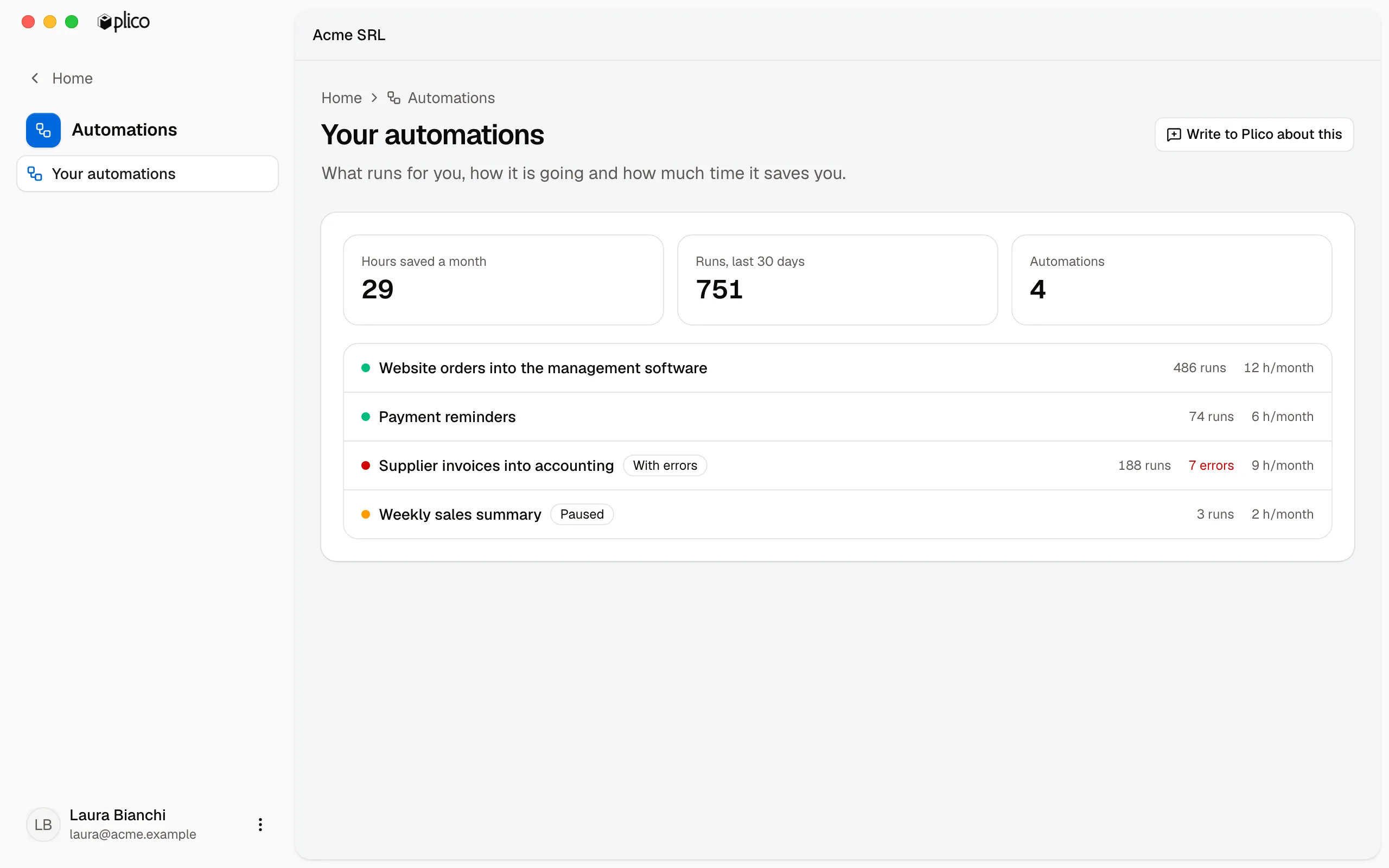
- You check the status of every automation, with the hours saved and the runs over the last month.
- You report a problem from the automation it concerns, with “Write to Plico about this”.
What we connect
What we connect to Claude, and how
For each system we agree with you on what Claude can read, where it can write and which operations need your approval. Anything that calls for a decision reaches you in the app.
A custom management system instead of spreadsheets
In many companies, customers, orders, stock and due dates live in separate Excel files, updated by hand by different people. We develop a custom management system that brings that data into a single archive, with the screens your work needs, and connect it to Claude.
Claude records orders, updates stock levels and drafts payment reminders; anyone in the company can ask a written question to find out, for example, how many units of an item are left in stock.


The management systems you already use
- What Claude does
- Looks up customer records, items, orders and due dates; records supplier invoices and enters orders that come in through other channels.
- Permissions
- Read access to the agreed data; write access only for the entries set out in the plan. The type of connection depends on what the management system allows, and we check it during the analysis.
- In the app
- The entries to check in the first weeks and the status of every automation.
Email
- What Claude does
- Sorts incoming messages, recognizes orders, requests and attached invoices, and drafts the replies.
- Permissions
- Read access to the inbox and write access for drafts. Sending stays with a person, except for the replies where you decide otherwise.
- In the app
- The replies to approve before they are sent.
Websites
- What Claude does
- Collects contact form requests, answers visitors with the information you give us and prepares page updates.
- Permissions
- Read access to incoming requests; every change to published content needs your approval.
- In the app
- Visitor requests and the copy to approve, in the Content module.
Online stores
- What Claude does
- Brings orders into the management system, updates availability and product pages, and answers customers about shipping status.
- Permissions
- Read access to orders and payments; write access to the catalog and management system within the agreed rules. Refunds and payments stay with you.
- In the app
- The status of the “Web orders to management system” automation and the orders to check.


We also connect shared documents, calendars and messaging. For software not listed here, we check whether a connection is feasible during the analysis.
Permissions and history
Every operation stays
in the history
For every operation Claude performs on the connected software, the history records the tool used and the result. Access to data follows the permissions agreed for each program.
Goal
Check order 4471, update the customer and open a task if it’s late.
| # | Program | Access | What it did | Result |
|---|---|---|---|---|
| 01 | Management system | reads | Reads the order and the customer record | done |
| 02 | Shipping | reads | Checks the status and expected date | done |
| 03 | draft | Drafts the message for the customer | done | |
| 04 | Tasks | writes | Opens a task for logistics | done |
Questions
Questions about the method and the integrations
Do I need to change my management system to work with Claude?
What do you need from me during the analysis?
Can Claude send messages or change data without my consent?
What happens when a connected program changes?
What happens if I don’t answer a question?
Book a call
In a 30-minute call we assess with you where AI can work in the software your company already uses.