Skip to content

For macOS, Windows, iOS and Android

We integrate AI into your company.

With Plico, we connect Claude, the artificial intelligence developed by Anthropic, to the software your company already uses, so that it can take on repetitive work. In the app, on your computer and your phone, you follow the work and approve whatever requires your decision.

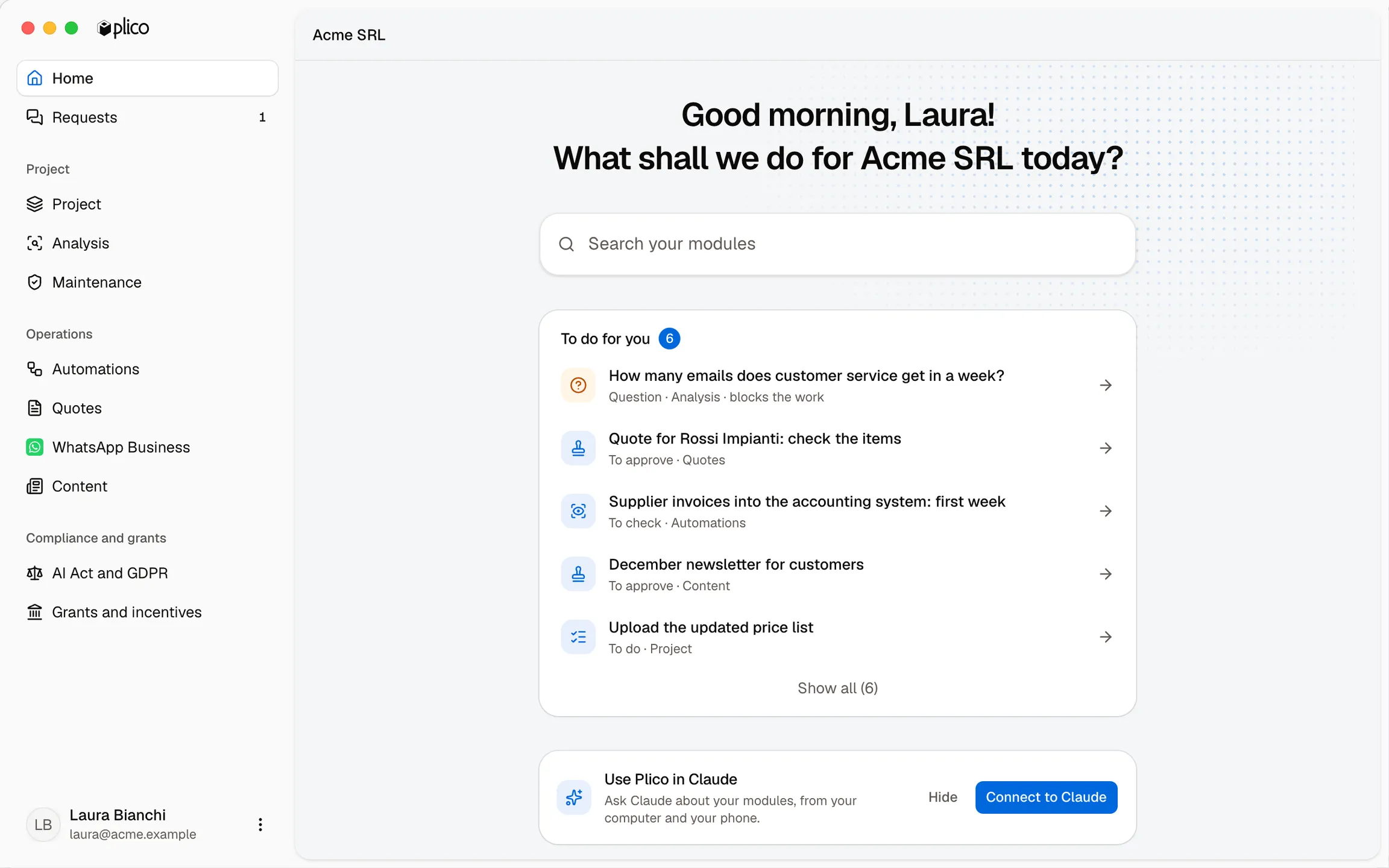
The Plico Home screen on a computer: the tasks waiting for your reply and the module search for Acme SRL, the app’s sample company.
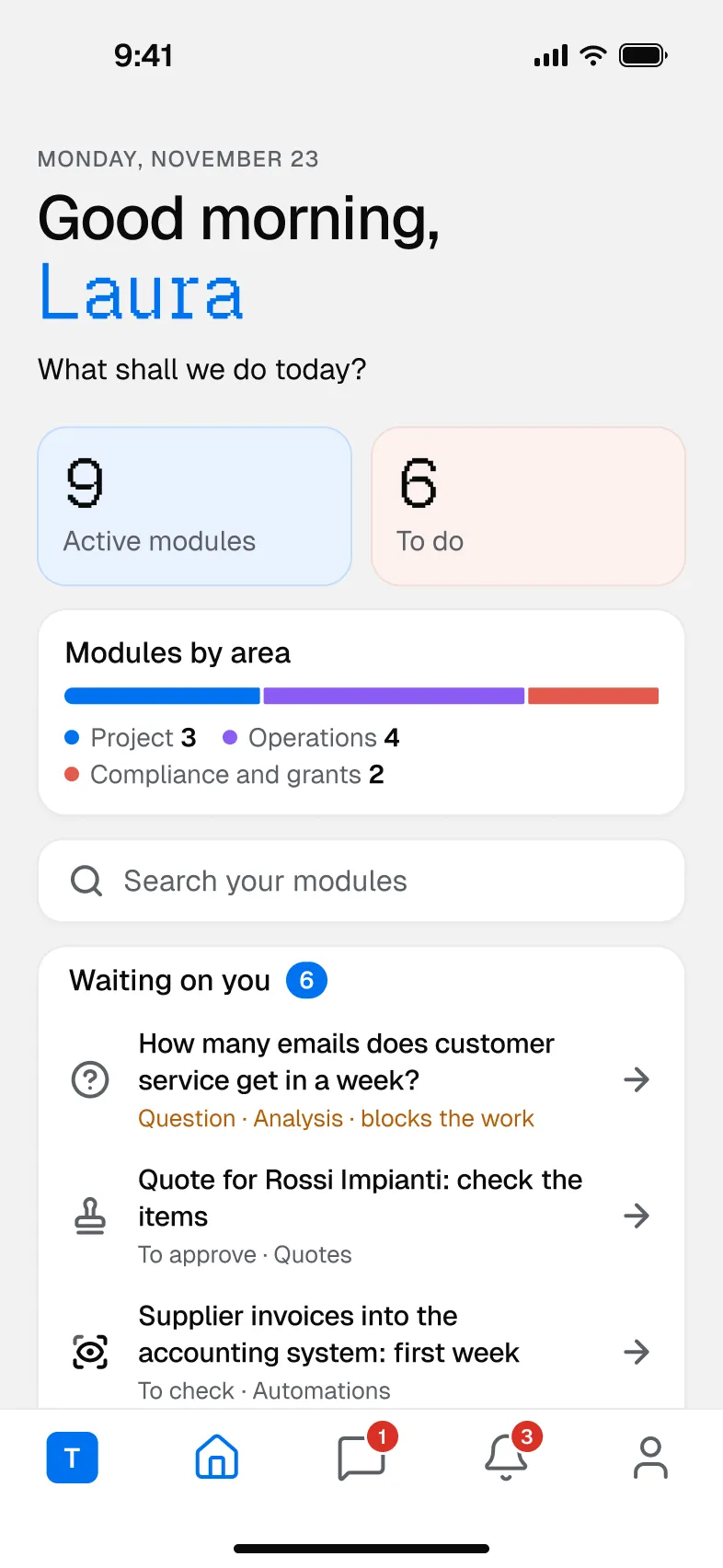
The Plico Home screen on a phone, with the module overview and the tasks to do.

Claude integrates with the tools your company already uses

How it works

We integrate Claude into the tools your company already uses

We run the project phase by phase. In each one, Plico is where you find what you need and answer our requests.

Each phase in detail

The diagram shows Claude connected to Gmail, Outlook, Excel, Google Drive, Google Calendar, Dropbox, WhatsApp, Shopify, TeamSystem, Stripe, Notion and Slack, with Plico beside it.

  1. Analysis

    We study your processes, tools and data quality. In Plico you answer questions in your own time, even from your phone with a photo.

  2. Design

    We design the work and set the timeline and the costs. In Plico you find the plan, the files and the shared links.

  3. Development

    We build agents and automations and connect them to your company’s software. In Plico you follow the progress and get a notification when a decision of yours is needed.

  4. Maintenance

    We update the integrations and restore whatever stops working. In Plico you read the monthly report and check the status of each automation.

The app

A single point of control over Claude’s work

The app brings together project progress, the status of your automations and the requests awaiting your reply, on your computer and your phone.

Explore the app
  • Waiting on you

    Only the tasks that need your input, such as a reply or an approval, are listed here. Everything else stays with our team.

  • Questions

    The information we need to move forward is requested here, often with ready-made answers to choose from.

  • Files

    A single archive for the project’s documents, from contracts to monthly reports.

  • Automations

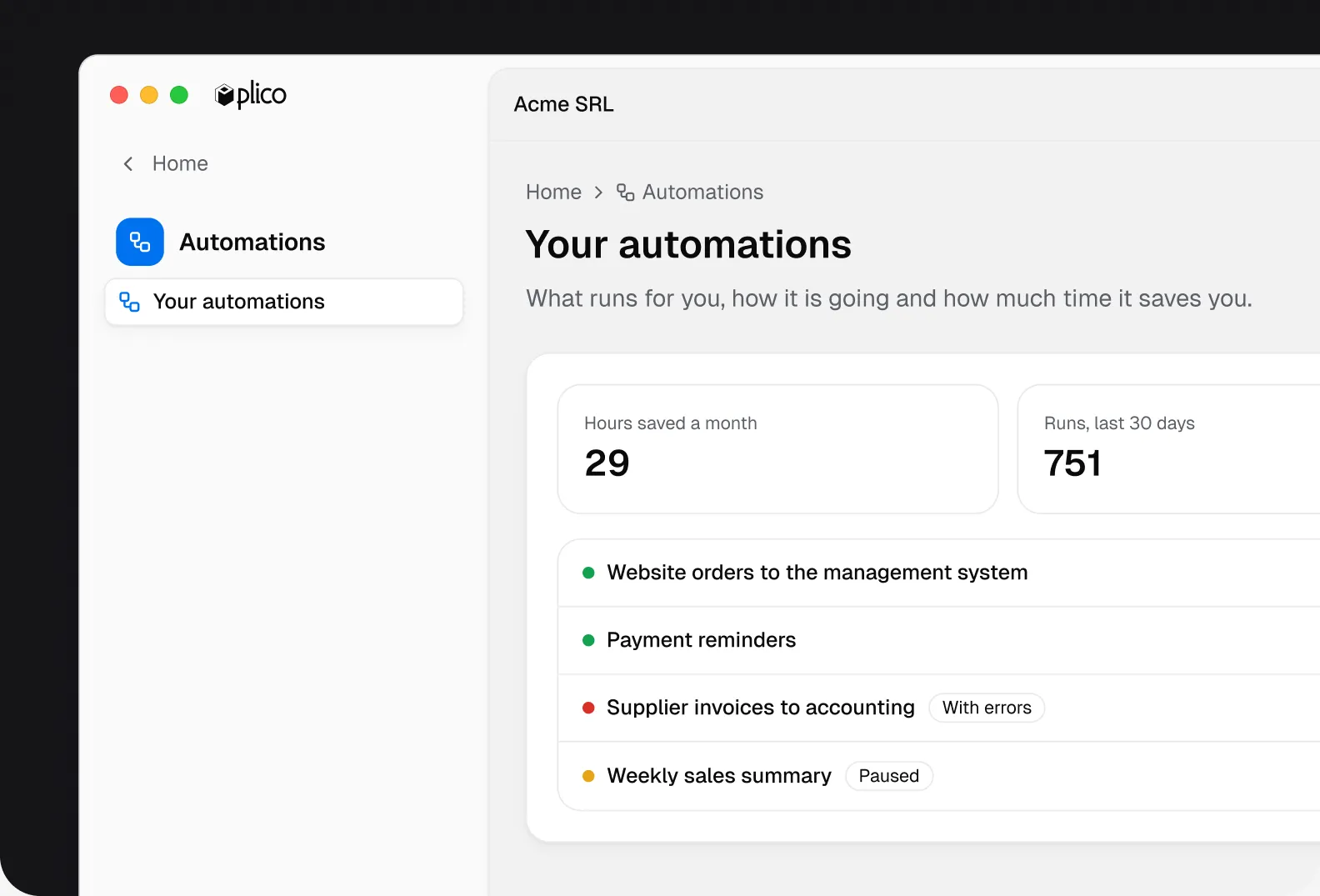
    Each automation shows its status, its recent runs and the hours it saved during the month.

  • Ask Claude

    Plico can also be reached from Claude, which answers your questions using the data in the app.

1 / 5

Day-to-day work

What changes in the office after the integration

Tasks that are done by hand today and that, once Claude is connected to your company’s software, only need a check in the app. The times are sample data.

01Data entry

Today

8 minper order

Orders, delivery notes and invoices arrive by email and are copied into the management system by hand, line by line.

After the integration

0 minper order

Claude reads incoming documents and records the data in the management system.

In Plico you only see the exceptions to check.

To check · Automations

02Quotes

Today

25 minper quote

For every request someone reads the email, looks up the price list, checks availability in the management system and puts the document together.

After the integration

3 minapprox. per quote

Claude prepares the quote from the request, the price list and the management system data.

In Plico you review and approve it.

To approve · Quotes

03Customer replies

Today

5 minper request

Questions about availability, opening hours and order status fill the office inbox and WhatsApp every day.

After the integration

0 mininstant reply

Claude answers by email and on WhatsApp with up-to-date company data and passes to your team the requests that need a person.

In Plico you see the requests passed to the team.

New reply · Requests

04Reports and reminders

Today

8 hat month end

At month end someone pulls the data, builds the Excel sheets and writes reminders for overdue payments by hand.

After the integration

15 minapprox. at month end

Claude compiles the monthly report and drafts reminders for overdue payments.

In Plico you find the report ready to review.

To approve · Automations

Who handles the integration

Our team analyzes your company’s processes, connects Claude to the software you use and maintains the integration over time. In Plico you follow every stage of this work.

Tullio Luongo, Stefania Ferrara and Pietro Falco

About us

Use cases

Who uses Plico

Companies for which we have connected Claude to their working software and that follow the project in the app. The screenshots show the app with sample data.

All use cases
  • 01Real estate · Milan

    Detho Real Estate

    The team sends requests and feedback on the website and dashboard from Plico and follows the status of each change.

    ModulesProject, Maintenance

    Read the case
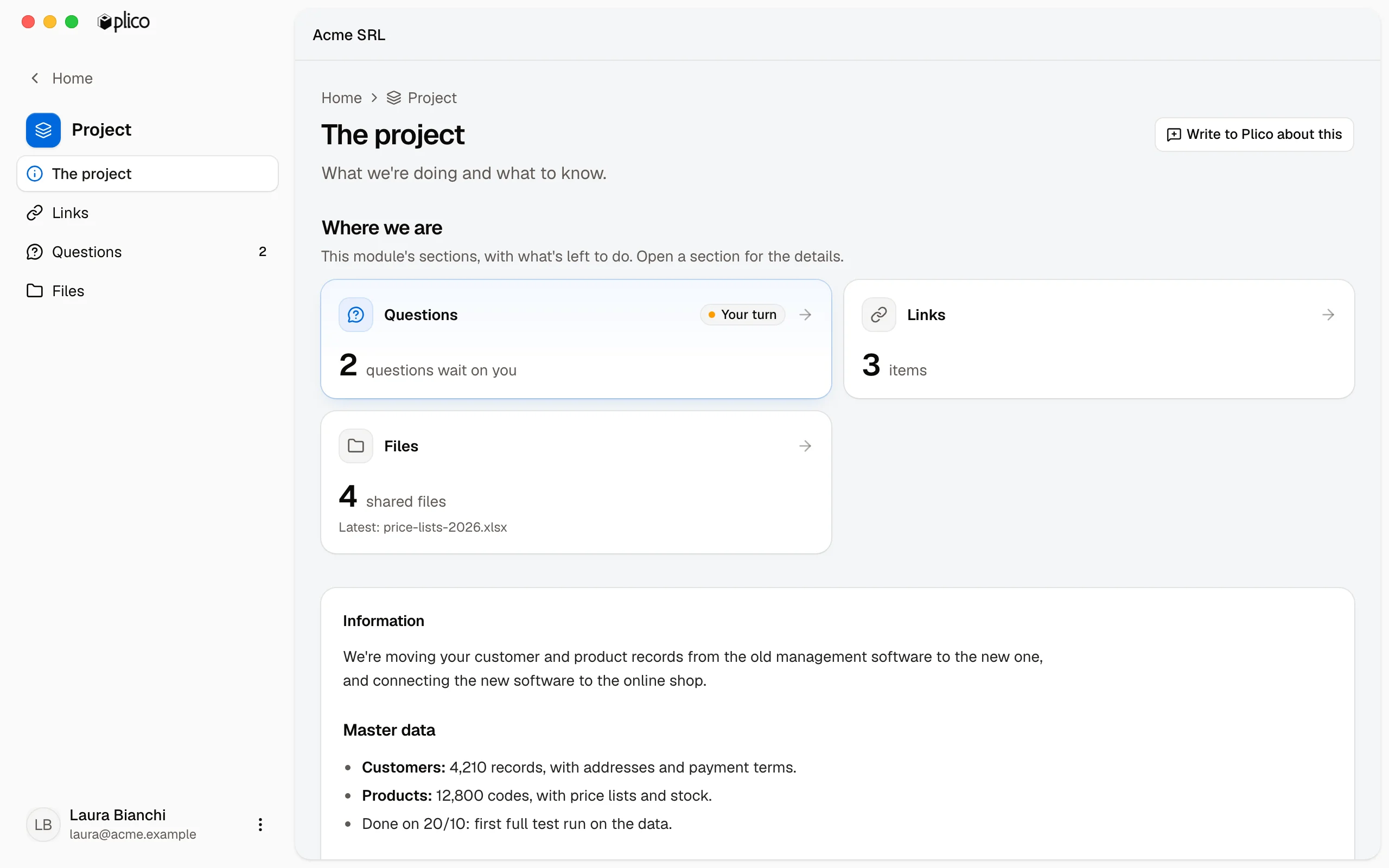
    The Plico Project module with the project’s questions, links and files, with sample data.
  • 02Services for municipalities

    Soluzioni Halley

    The team follows in Plico the transfer of municipal data into Halley: the open questions, the shared files and the status of the automations.

    ModulesProject, Automations

    Read the case
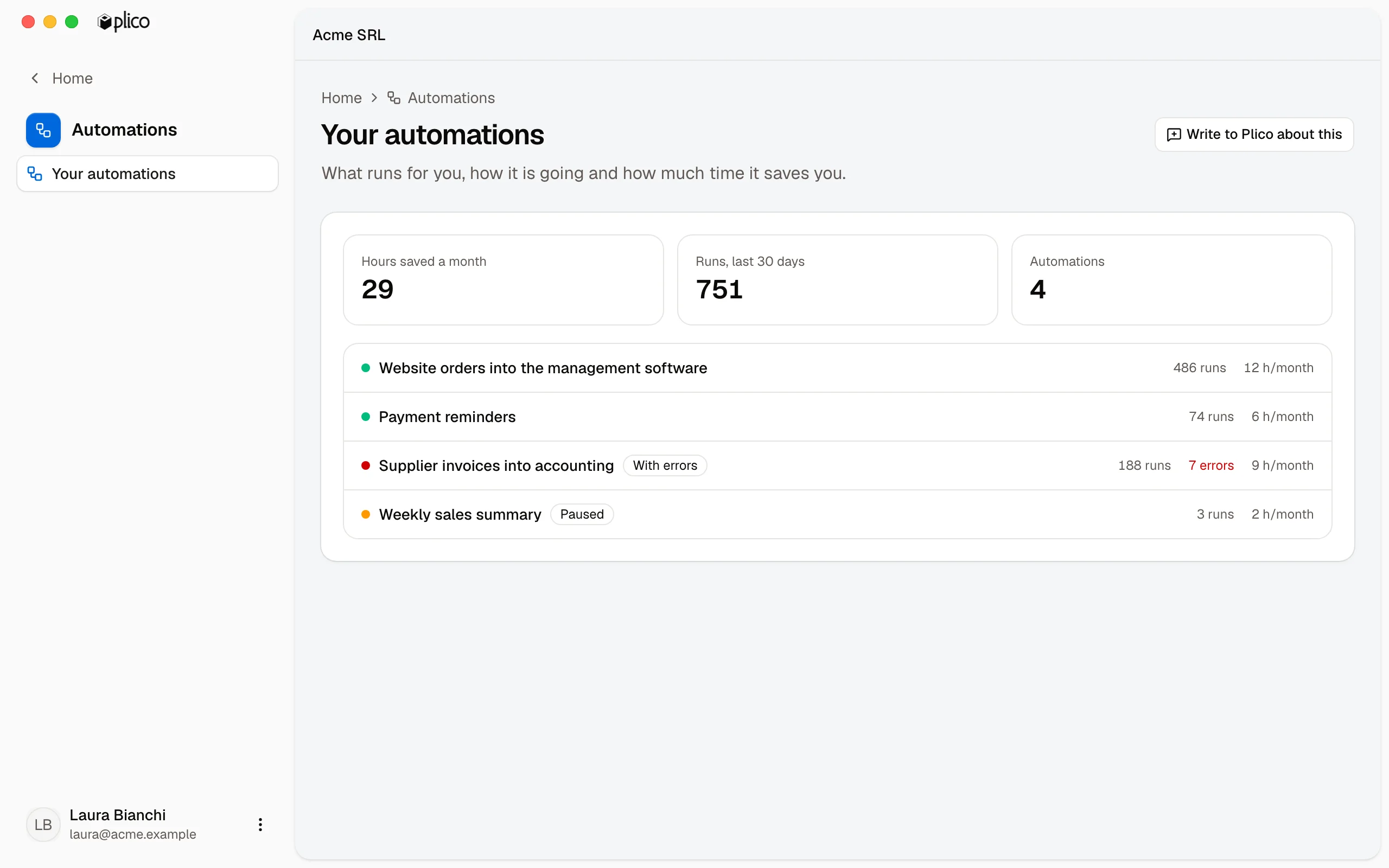
    The Plico Automations module with hours saved, runs and the status of each automation, with sample data.
  • 03Web agency · Netherlands

    Merkmannen

    The agency follows in Plico the projects we build for it, checks the status of its automations and reads the maintenance reports.

    ModulesProject, Automations, Maintenance

    Read the case
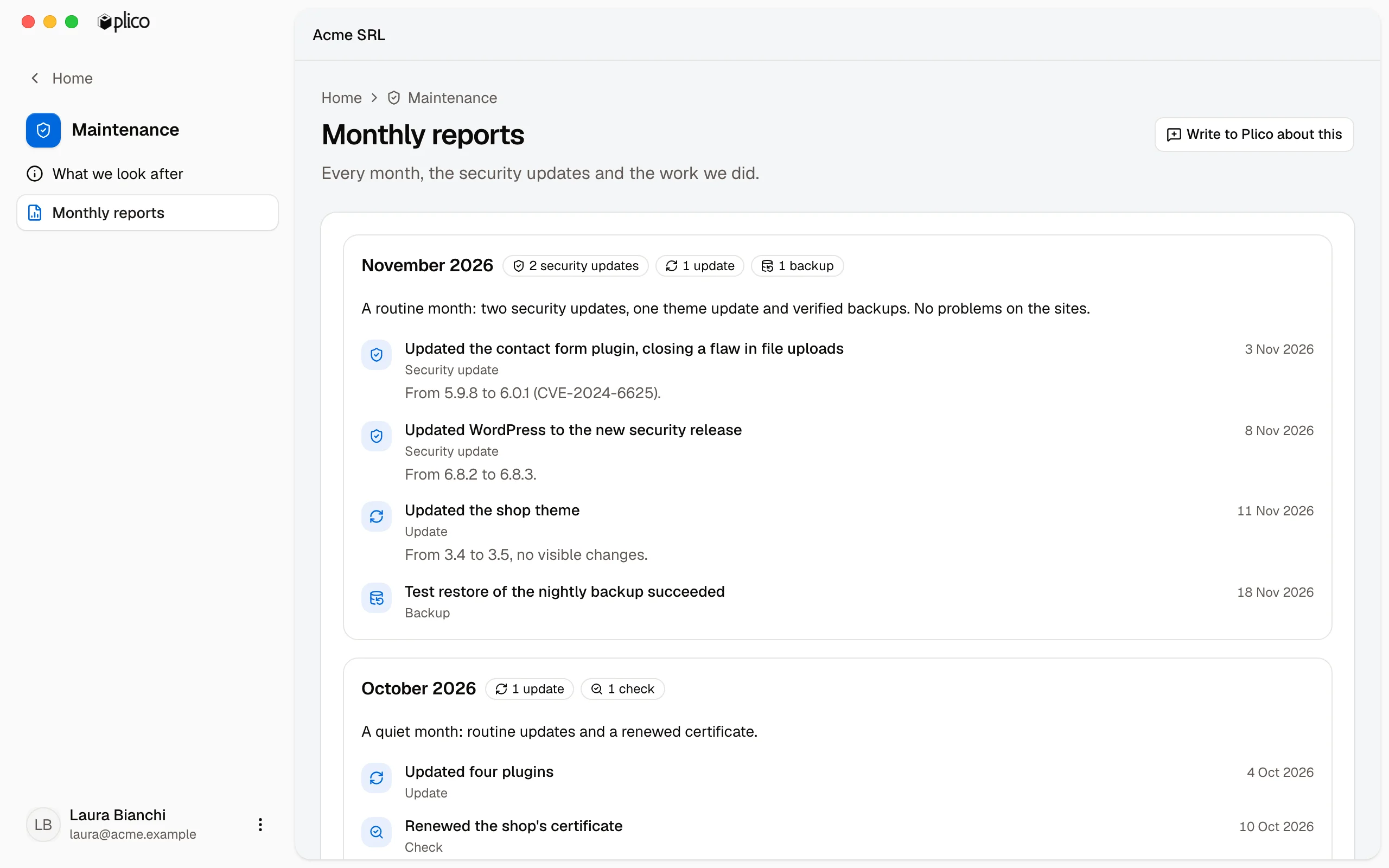
    The Plico Maintenance module with the monthly reports of the work done, with sample data.
  • 04Smart lighting

    Geolumen

    In the WhatsApp module the company sees the conversations handled by AI, the handoffs to the team and the costs day by day.

    ModulesWhatsApp

    Read the case

    Sample conversation

    9:41
    GeolumenBusiness account
    Today

    An AI replies in this chat. Type “operator” to speak with a person.

    Good morning, we’d like a quote for switching our warehouse lighting to LED. Could you come and take a look?9:12 AM ✓✓

    Good morning, of course. For the site visit I need the address and the approximate floor area. Would you also like to control the lights remotely?9:12 AM

    About 2,000 m², in the industrial area. Yes, remote control as well.9:14 AM ✓✓

    Thank you. A technician will call you to set a date for the site visit.9:14 AM

Maintenance

Ongoing maintenance and a monthly report

Software gets updated and your company’s needs evolve. We regularly check that the automations work as intended and every month publish in the app a report on the work carried out.

Maintenance in the app
The “Your automations” page of the app: 29 hours saved per month, 751 runs in the last 30 days and the status of each automation.
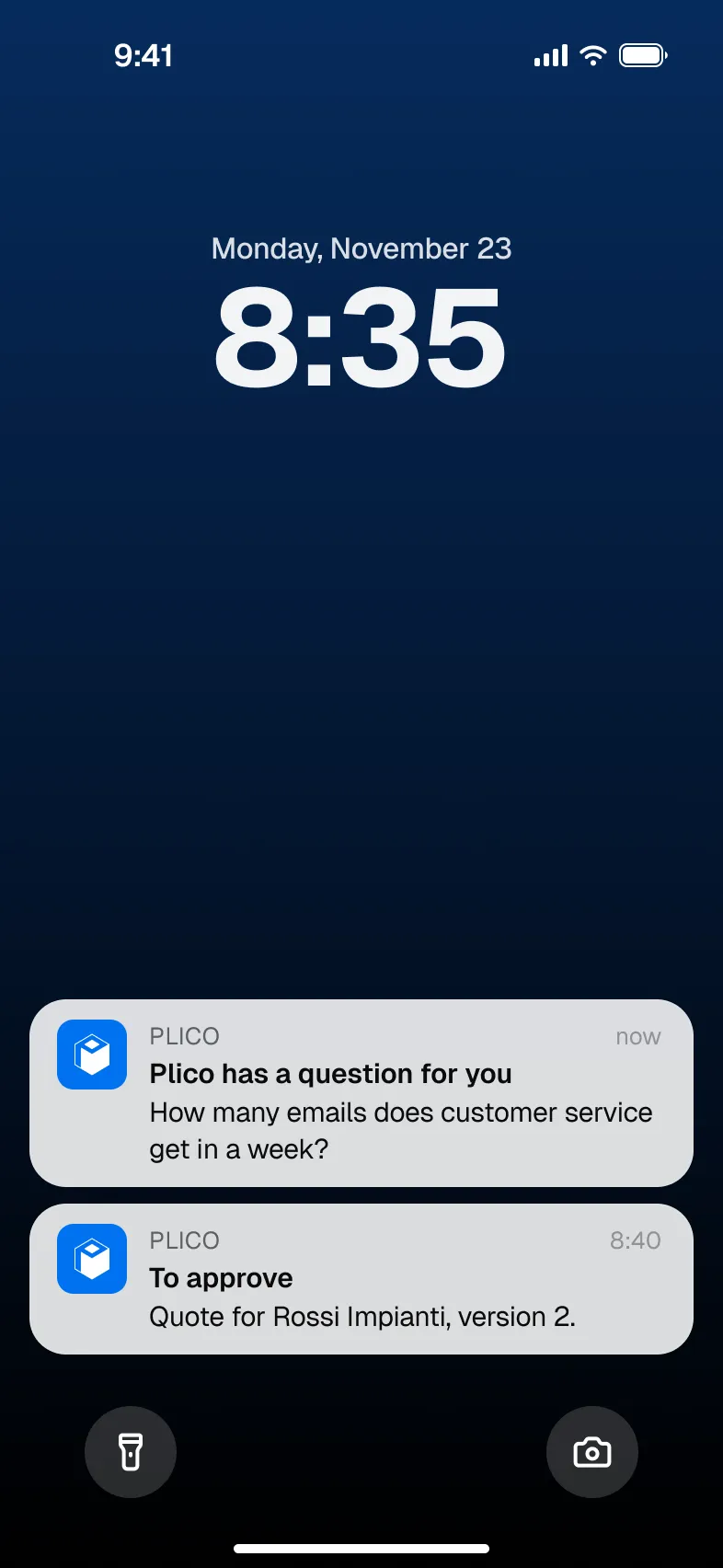
Plico notifications on the iPhone lock screen: a question and a piece of content to approve.

12 reports

a year, one for each month, published in the app: the work carried out, the status of each automation and the tasks planned for the following month.

On your phone

Also available
on iOS and Android

From your phone you answer the team’s requests, approve content and read the reports, even when you are away from the office.

  • The app’s Home screen on a phone, with the module overview and the tasks to do.
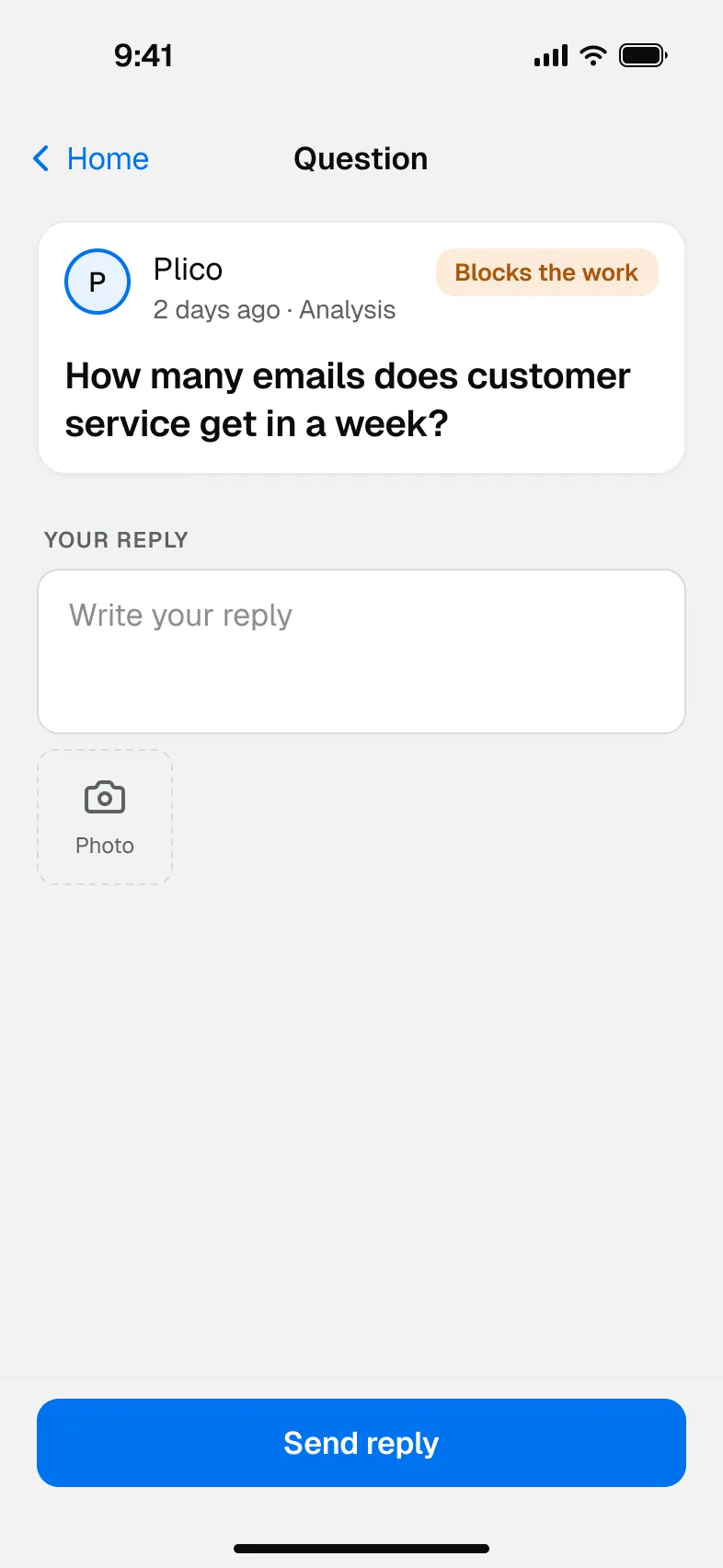
  • A question from the team in the app, with the reply field and the option to send a photo.
  • Plico notifications on the lock screen: a question and a piece of content to approve.

1 / 3

Questions

Frequently asked
questions

What is Plico?

Plico is the app for following the work Claude does in your company’s software. On your computer and your phone you answer questions from our team, approve decisions, review the project files and read the monthly report on your automations.

Who builds Plico?

Our team, which analyzes your processes, connects Claude to your company’s software and maintains the system over time. Plico started as an internal tool for following those projects together with clients; the people and the company’s history are on the About us page.

Can I use Plico without an active project?

No. You use Plico with the account we set up for you when the project starts, and without an active project the app shows no data.

Which devices does it run on?

On computers with macOS or Windows and on phones with iOS or Android. You see the same projects on every device, and a notification tells you when a decision is needed.

How much does Plico cost?

Plico is included in the integration projects we carry out for your company and is not sold separately.

Book a call

In a 30-minute call we assess with you where AI can work in the software your company already uses.